If you love playing Minecraft with mods and modpacks, you’ve probably heard of the Modrinth App (also called the Modrinth Launcher). It’s a free, open-source launcher made by the same team behind the popular Modrinth website. Launched a couple of years ago and now in version 0.12.5 (beta) as of March 2026, it has quickly become a favorite for many players because it feels fast, clean, and super easy to use.
Unlike the official Minecraft launcher or older apps like CurseForge, the Modrinth App focuses on one simple goal: letting you find, install, update, and play mods and modpacks, shaders, and resource packs with almost no hassle. Everything is connected directly to Modrinth’s huge library of mods, so updates happen with one click, and you never have to worry about files manually.
The app works on Windows, Mac, and Linux, stays very lightweight (usually under 150 MB of RAM), and supports offline play once everything is downloaded. Many players in 2026 say it feels like the “modern” way to play modded Minecraft.
Features of the Modrinth App
- One-Click Mod & Modpack Installation — Browse thousands of mods and modpacks straight from the app. Install or update everything with a single button.
- Automatic Updates — Your mods and modpacks stay up to date automatically. No more manual downloading from websites.
- Instance Management — Create separate “instances” (like different Minecraft setups) for vanilla, modpacks, or testing. Each one stays clean and independent.
- Activity Monitor — A built-in dashboard shows CPU and RAM usage in real time so you can see exactly how much the app and your game are using.
- Offline Mode — Once mods are downloaded, you can play without internet.
- Deep Modrinth Integration — Follow projects on the website and they appear in the app. Search, filter, and read descriptions right inside the launcher.
- Files Tab — New in recent updates: easily browse, edit configs, and view crash reports without leaving the app.
- Support for Popular Loaders — Works great with Fabric, Quilt, Forge, and NeoForge. You can install any loader with just a few clicks.
- Modern, Beautiful UI — Fast loading, smooth scrolling, and no annoying ads or bloat.
It also supports shaders, resource packs, and data packs. Many YouTubers and Reddit users praise how quick it feels compared to older launchers.
System Requirements Table
The Modrinth App itself is extremely lightweight and runs on almost any computer. The real requirements come from the Minecraft instances you create (especially big modpacks).
| Hardware / Software | Minimum Requirement | Recommended Requirement | Notes |
|---|---|---|---|
| Operating System | Windows 10 / macOS 11 / Linux (most distros) | Windows 11 / macOS 12+ / Modern Linux | Linux may have occasional bugs |
| Processor (CPU) | Dual-core 2.0 GHz | Quad-core or better | Launcher is not demanding |
| RAM (System) | 8 GB | 16 GB or more | Modpacks may need 8–12 GB allocated |
| Storage | 1 GB free (app) | 50+ GB SSD (for mods & instances) | SSD strongly recommended |
| Graphics Card | Any (integrated OK) | Dedicated GPU for best FPS | Use dedicated GPU on laptops |
| Internet | Needed for first setup and downloads | Stable connection | Offline mode works after setup |
| Java | Java 17 or 21 (auto-handled in most cases) | Latest Java 21 | App usually manages Java for you |
Quick Tip: On laptops, some players notice lower FPS if the app uses the wrong graphics card. There’s a simple guide on Modrinth’s help center to force the dedicated GPU.
How to Install the Modrinth App

Modrinth App Installation
1. Go to the official page: https://modrinth.com/app
2. Choose your operating system (Windows, Mac, or Linux).
3. Download the latest beta version (currently 0.12.5).
4. Run the installer (Windows .exe, Mac .dmg, or Linux AppImage/DEB/RPM).
5. Open the app, log in with your Microsoft/Mojang account, and you’re ready.
How to Use the Modrinth App
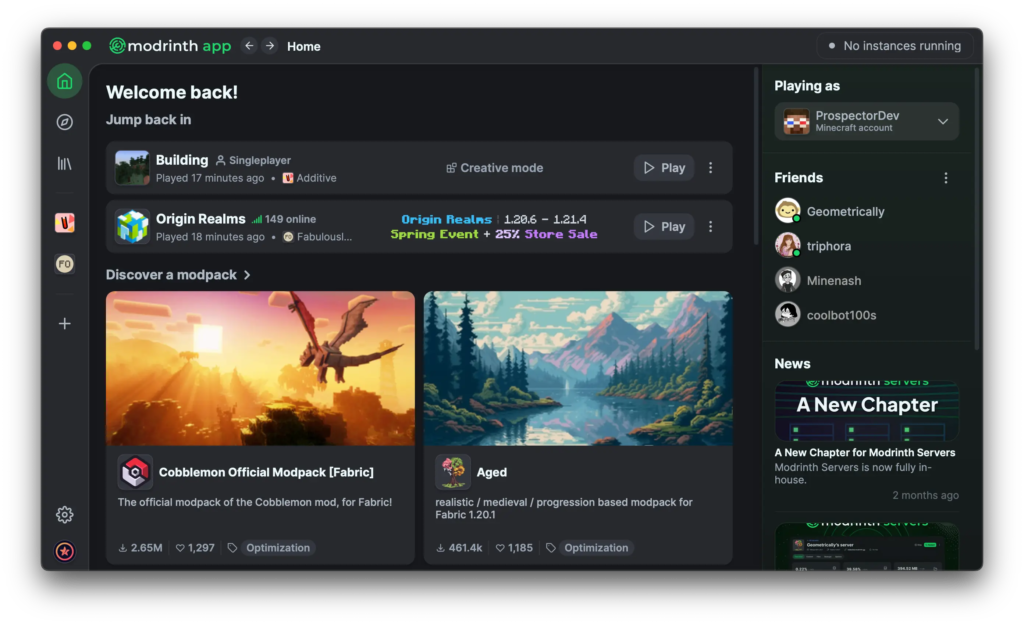
Using the Modrinth App feels modern and intuitive. When you open it, you’ll see a clean home screen with tabs for browsing mods, your installed content, and your instances. To get started, head to the Browse section and search for a modpack or individual mods — everything is clearly listed with screenshots, descriptions, and compatibility info. Click Install and the app downloads and sets everything up automatically in its own instance.
Once installed, you can create as many instances as you want (one for each modpack or playstyle). The Activity Monitor lets you watch RAM and CPU usage live, and the new Files tab makes it easy to tweak config files or check crash logs without digging through folders. Switching between instances is instant — just click the one you want and hit Play. If you follow projects on the Modrinth website, they appear in your app so you can update them with one click. Everything stays organized, fast, and simple, even if you’re running multiple modpacks at the same time.
Profile Importing – Switch to Modrinth App in Seconds
One of the smartest and most user-friendly features of the Modrinth App is its excellent Profile Importing tool. If you’ve been using another launcher like the official Minecraft Launcher, CurseForge, Prism Launcher, or MultiMC, you don’t have to start from scratch. The Modrinth App can automatically detect and import your existing profiles, instances, mods, resource packs, shaders, and settings with just a few clicks.
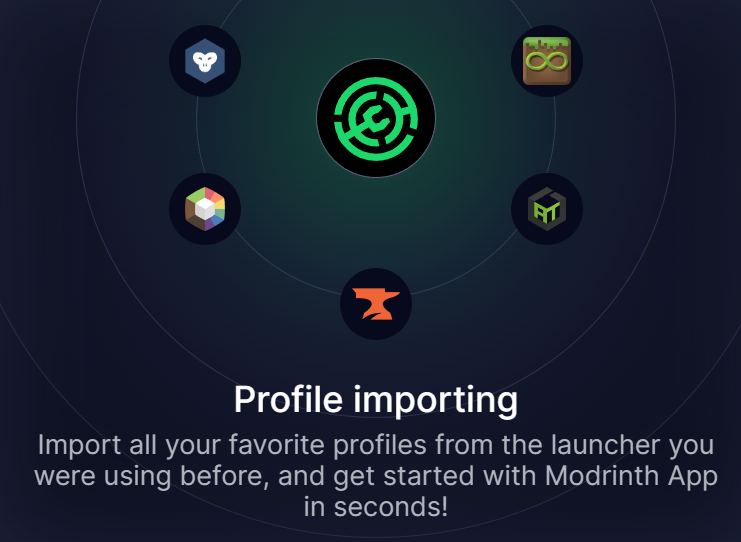
All you need to do is open the app, go to the import section, and it will scan your computer for profiles from other launchers. Once it finds them, you can choose which ones to bring over — and in most cases, everything transfers smoothly, including your carefully built modpacks and custom configurations. This feature saves hours of manual reinstalling and reconfiguring, making the switch to Modrinth App incredibly smooth and painless. Many players mention that this single feature was the reason they finally made the move from their old launcher. It truly lets you get started with the Modrinth App in seconds instead of spending an entire afternoon setting everything up again.
Skins Management (Beta Feature)
The Modrinth App now includes a brand-new Skins section, currently available in Beta. This feature lets you easily manage all your Minecraft skins directly inside the launcher. You can view your saved skins, quickly switch between them, and even add new ones with a simple drag-and-drop or by clicking the “Add a skin” button.
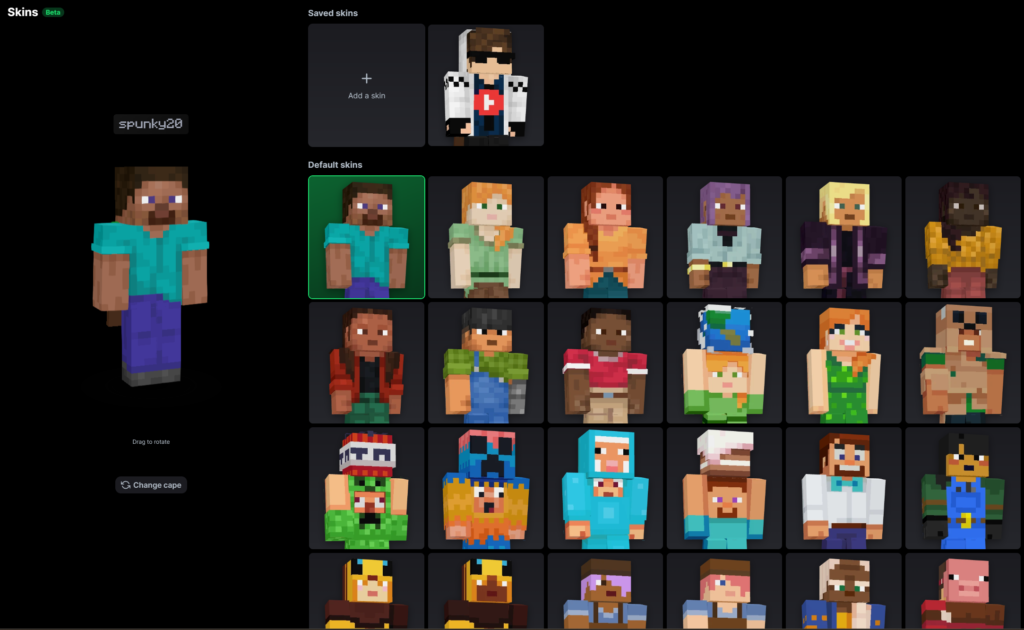
On the left side, you get a large preview of your currently selected skin, which you can rotate by dragging to see it from all angles. Below it, there’s also an option to change your cape if you have one. The right side shows your saved skins at the top and a wide grid of default Minecraft skins below, making it super convenient to browse and pick a new look without leaving the app. Since this feature is still in beta, it may receive more improvements in future updates (such as better organization, skin editing tools, or direct uploading), but it already works smoothly and saves players from having to go into the official launcher or external websites just to change their appearance. It’s a small but welcome quality-of-life addition that makes the Modrinth App feel even more complete.
FPS Performance
The Modrinth App itself does not affect your in-game FPS — it’s just a launcher. Most players report smooth performance and quick load times compared to heavier launchers.
- On mid-range PCs, you’ll easily get the same FPS as the official launcher or Prism Launcher.
- Some laptop users have seen lower FPS until they force the dedicated GPU (easy fix explained in Modrinth’s help articles).
- With popular optimization mods like Sodium, Iris, and FerriteCore installed through the app, many players hit 200–500+ FPS even in big modpacks.
Frequently Asked Questions
Is the Modrinth App safe?
Yes — it’s fully open-source and developed by the trusted Modrinth team. Always download from modrinth.com/app.
Does it only work with Modrinth mods?
It works best with Modrinth content, but you can import modpacks from other sources too. Some players combine it with Prism Launcher for full flexibility.
Can I play offline on Modrinth?
Yes, once your mods and game files are installed.
Is Modrinth better than CurseForge or Prism Launcher?
Many players prefer it for its clean UI and speed. Prism is more powerful for advanced users, while CurseForge has more ads. Modrinth App wins for simplicity and performance.
Does Modrinth support the latest Minecraft versions?
Yes — it stays up to date with all new releases, snapshots, and loaders.
Important Links
| Resource | Link |
|---|---|
| Official Modrinth App Page | https://modrinth.com/app |
| Modrinth Main Website | https://modrinth.com/ |
| GitHub Repository | https://github.com/modrinth/code |
| Help Center / Support | https://support.modrinth.com |
| Changelog & Updates | https://modrinth.com/news/changelog |