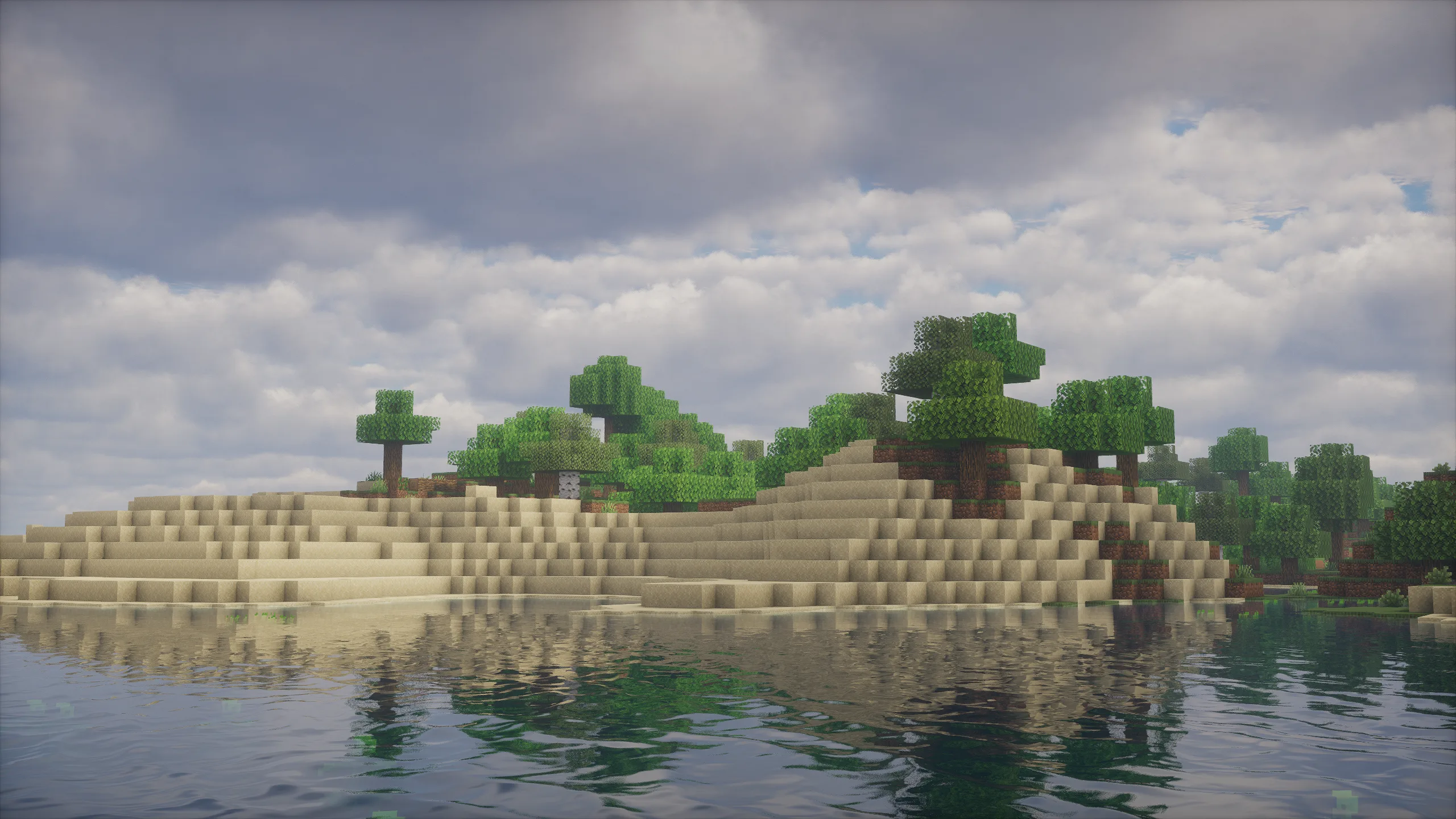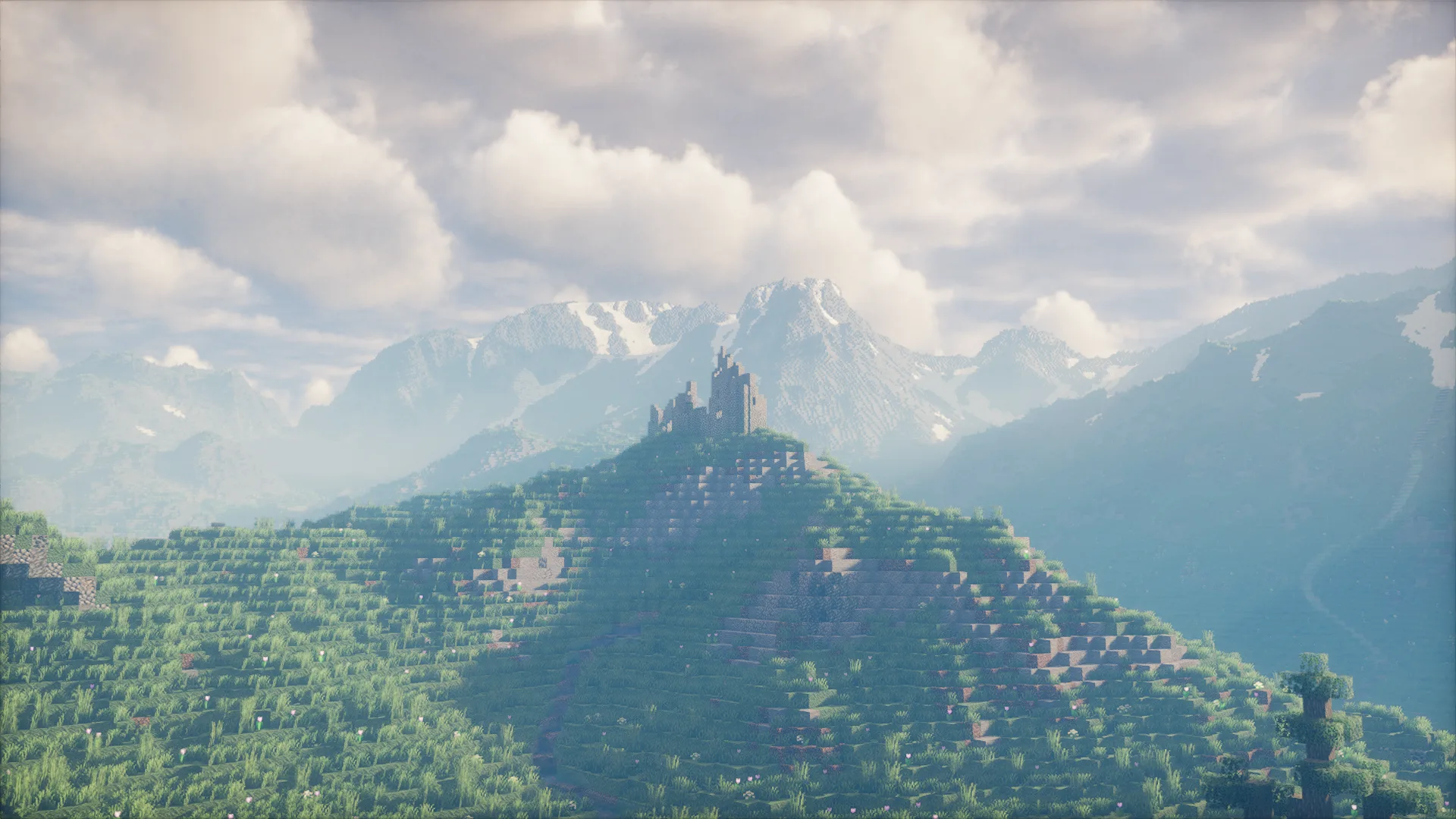
Photon Shaders is a popular, gameplay-focused shader pack for Minecraft Java Edition. It uses a semi-realistic style that makes your world look much better without turning it into a full photorealistic game. Instead of flashy effects that hurt performance, it focuses on clean lighting, beautiful skies, realistic water, and smooth gameplay.
With over 15.5 million downloads on Modrinth, Photon has become a favorite for players who want nicer graphics while still being able to explore, build, and fight mobs comfortably. It feels natural and immersive — perfect for both vanilla players and those using big modpacks.
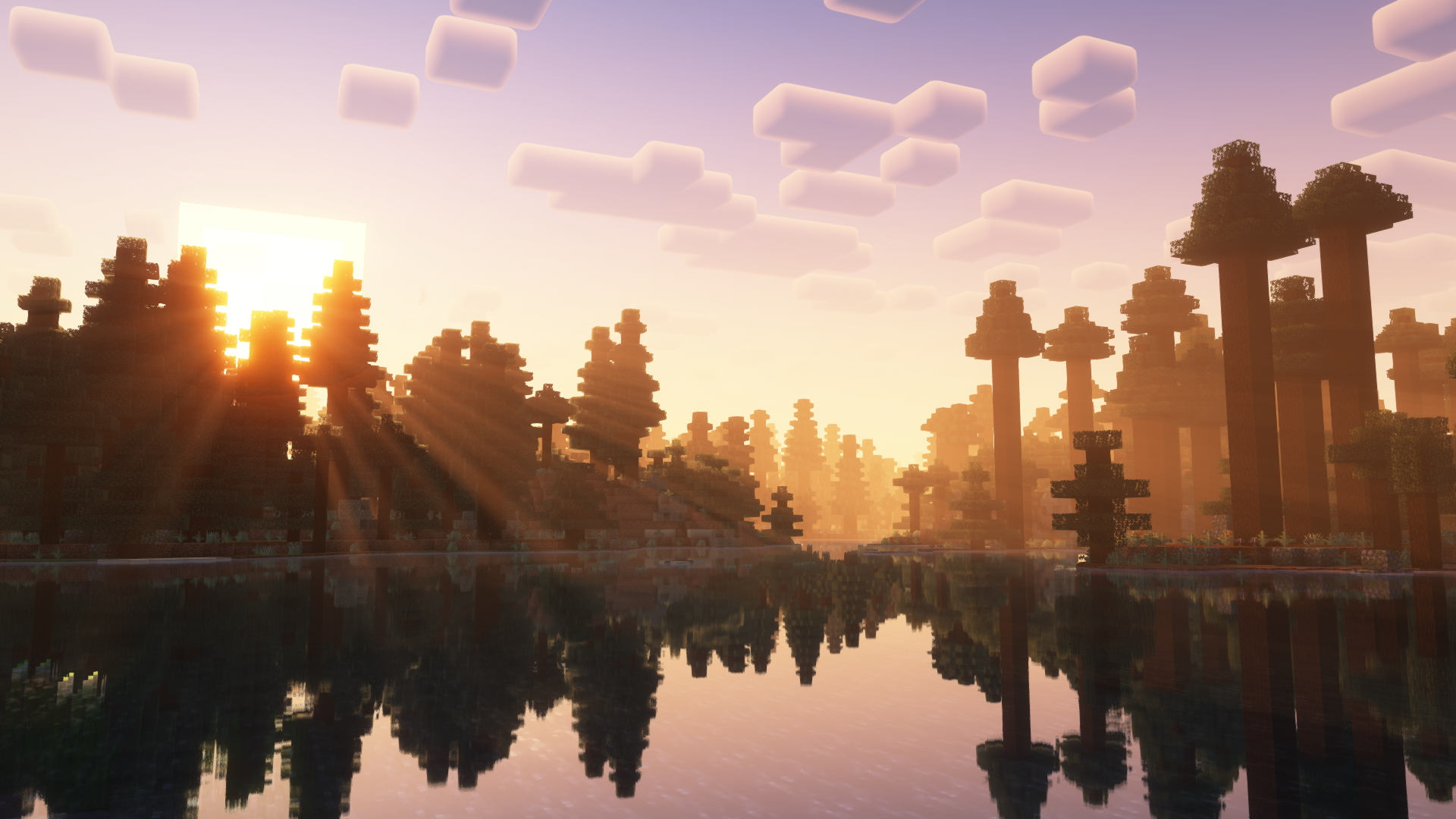
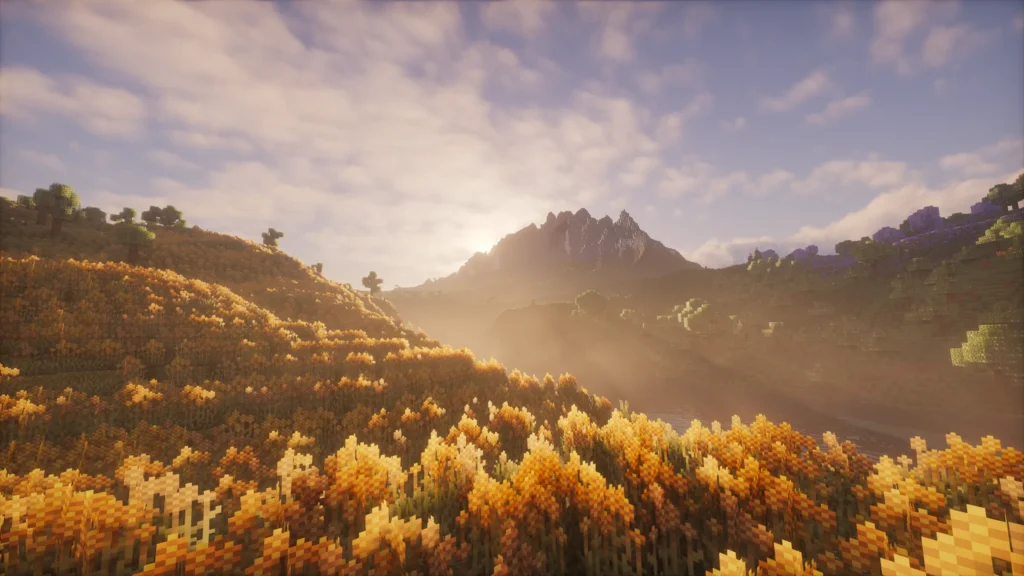
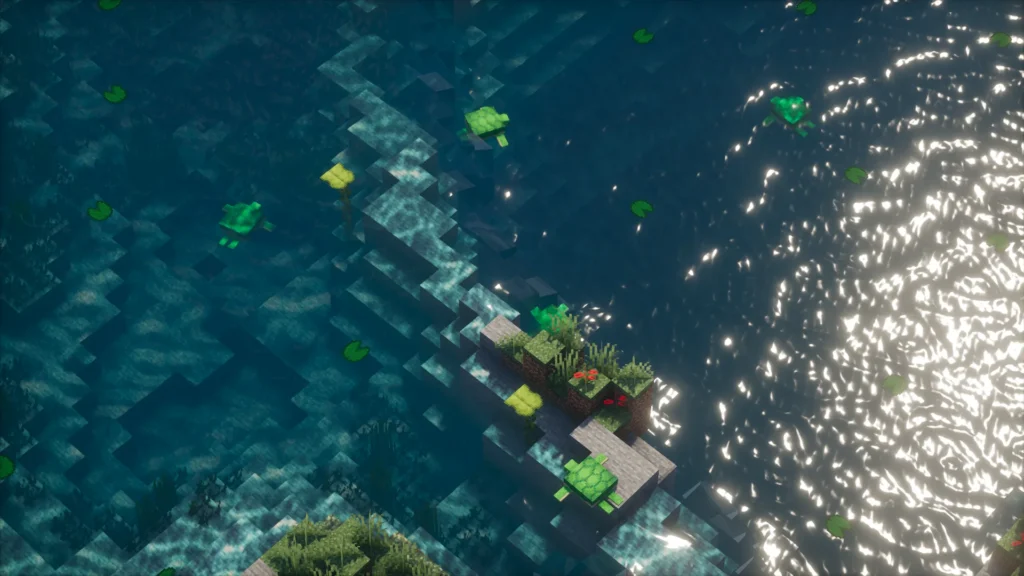
Photon Shaders – Images
Features of Photon Shaders
Sky, Clouds, and Weather
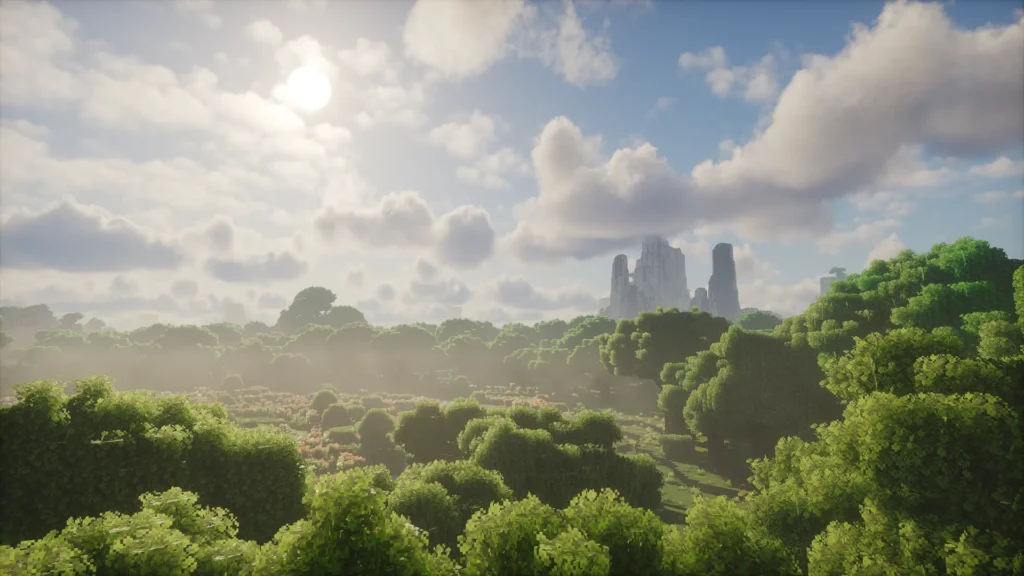
- Fully revamped sky with realistic colors and lighting.
- Detailed clouds in multiple layers and many different types.
- Immersive daily weather system — every day can have slightly different skies and moods.
Lighting and Shadows
- Soft, natural shadows with variable-size penumbras (the soft edges around shadows).
- Voxel-based colored lighting (only in Ultra profile and with Iris).
- Detailed ambient occlusion (GTAO) that makes corners and edges look deeper and more realistic.
Water and Reflections
- Revamped water that looks clear and natural.
- Screen-space reflections so you see the sky, trees, and buildings bouncing on the water surface.
Atmosphere and Camera Effects
- Volumetric fog that makes distant areas feel deep and atmospheric.
- Bloom, depth of field (soft background blur), and motion blur for a cinematic feel.
- Much better image quality thanks to TAA, FXAA, and CAS.
Other Highlights
- Full support for labPBR resource packs (makes textures look more detailed).
- Advanced temporal upscaling (helps low-end PCs run it better).
- Huge customization menu — you can tweak almost everything.
It has Low, Medium, High, and Ultra profiles so you can match it to your PC.
System Requirements to Run Photon Shaders
Photon is well-optimized for gameplay and runs on a wide range of computers. There are no strict official minimum specs, but here’s a practical table based on player reports and developer notes:
| Hardware Level | Recommended Profile | Example GPU | RAM | Expected FPS (1080p) | Best For |
|---|---|---|---|---|---|
| Low-end | Low + Temporal Upscaling | Integrated graphics (Intel UHD/Iris Xe) | 8 GB | 40–70+ FPS | Older laptops — still playable and pretty |
| Mid-range | Medium or High | GTX 1650 / RTX 3050 / RX 6600 | 8–16 GB | 60–120+ FPS | Most players — smooth and beautiful |
| High-end | High or Ultra | RTX 3060 / RTX 4060 or better | 16+ GB | 80–200+ FPS | Max settings, high render distance, mods |
Quick Tips
- On low-end PCs, enable temporal upscaling — it helps a lot.
- Apple Mac users (Metal GPUs) need to disable SH Skylight and Colored Shadows for best results.
- Use Iris + Sodium for the biggest FPS boost.
FPS Performance
Photon is designed to be gameplay-friendly. Many players report that it runs smoother than similar realistic shaders while still looking excellent.
On mid-range hardware, you can easily stay at 60+ FPS with most effects on. High-end PCs often hit 100–200 FPS. The temporal upscaling feature is a big help for lower-end computers. Community tests on Reddit and YouTube show it performs very close to top shaders like BSL while feeling lighter during movement and combat.
Publish Date and Author
Photon Shaders was first published on Modrinth about 2 years ago (early 2024). The author, sixthsurge, spent nearly 3 years developing it before the public release. The latest stable version is 1.2a (released July 2025), with regular smaller updates since then. sixthsurge is known for listening to player feedback and keeping the pack focused on performance and beauty.
How to Install Photon Shaders

Photon Shaders Installation (Iris)
Download and install Iris Shaders (best performance).
Download the latest Photon .zip file from Modrinth or CurseForge — do not unzip it.
In Minecraft: Options → Video Settings → Shaders → Open Shaderpacks Folder.
Drop the .zip file inside and select “Photon” in the menu.
Compatibility
Photon works great with:
- Iris Shaders (strongly recommended — needed for colored lighting in Ultra profile).
- OptiFine (works well for most users).
It supports Minecraft versions from 1.17 up to the latest 1.21.x. It also plays nicely with Distant Horizons mod and most resource packs (especially labPBR ones). Not ideal for Apple Metal GPUs without tweaks.
Frequently Asked Questions
Is Photon Shaders free?
Yes, completely free. You can support the author on Ko-fi.
Does Photon Shaders work with mods?
Yes! It runs well with thousands of mods, especially when using Iris + Sodium.
Why is my FPS lower in certain areas?
Turn down volumetric fog, colored lighting, or reflections — these are the heavier features.
How do I update Photon Shaders?
Just replace the old .zip with the new one in your shaderpacks folder.
.
Important Links
| Resource | Link |
|---|---|
| Modrinth Page | https://modrinth.com/shader/photon-shader |
| GitHub Repository | https://github.com/sixthsurge/photon |
| CurseForge Page | https://www.curseforge.com/minecraft/shaders/photon-shader |