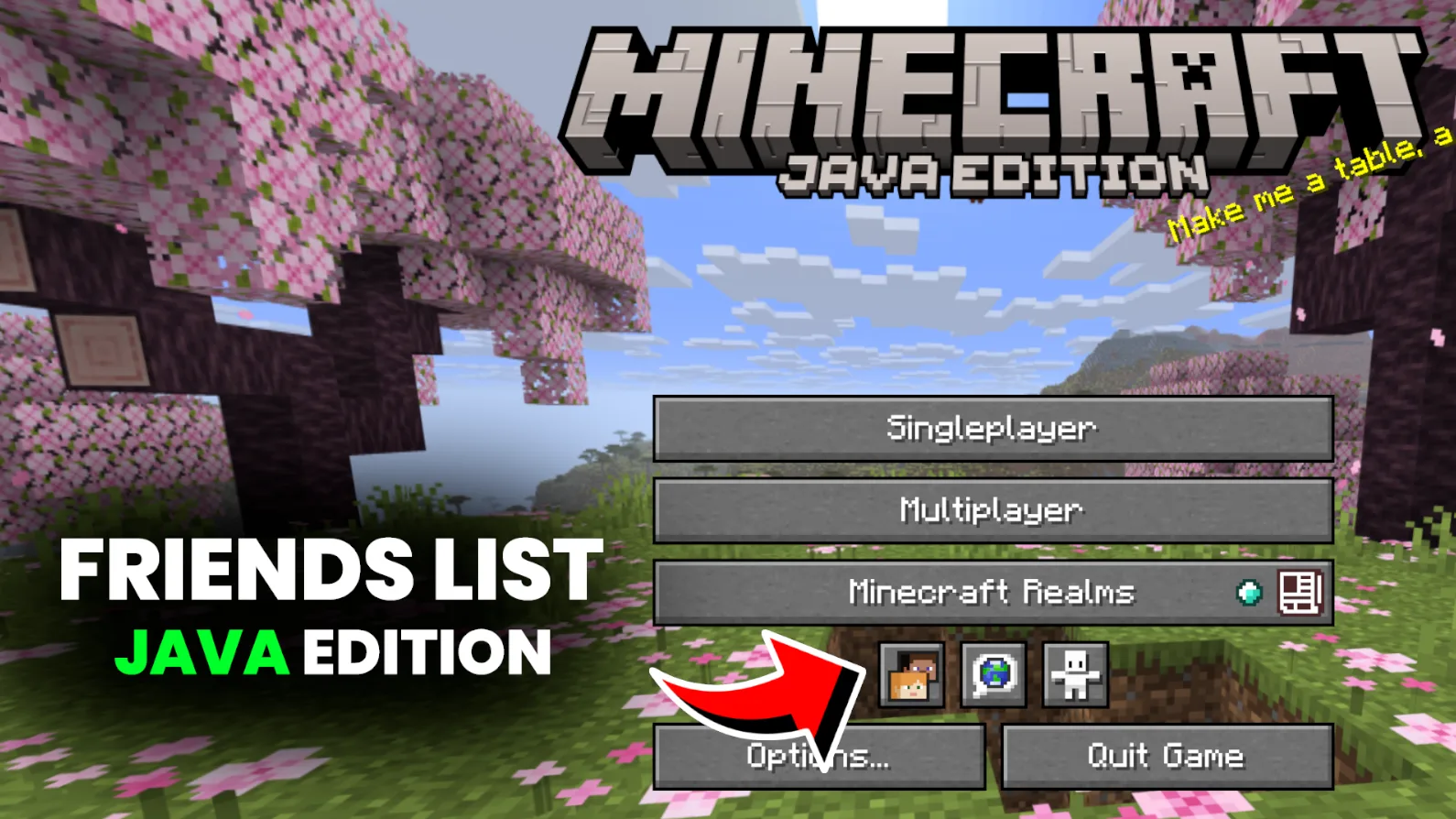
For over 15 years, Minecraft Java Edition players had to rely on third-party tools, Discord, or complicated server setups to play with friends. That finally changed on May 12, 2026, when Mojang officially introduced the Friends List in Java Edition snapshot 26.2-7.
This is one of the most requested features in Java Edition’s history. It brings a simple, built-in way to add friends, see their status, and join their worlds directly just like Bedrock Edition has had for years. No more copying IP addresses, setting up Realms, or using external mods just to play with your friends.
In this detailed guide, we’ll cover everything: how the Friends List works, how to use it, its current limitations, how it compares to other methods, and what the future holds.
What is the Friends List in Java Edition?
The Friends List is a new built-in social feature in Minecraft Java Edition. It lets you:
- Add other players as friends using their Minecraft username (Java Profile Name).
- Send and receive friend requests.
- See your friends’ online status (Offline, Online, In a World, In a Joinable World).
- Easily invite friends to your single-player world.
- Join your friends’ worlds directly through peer-to-peer (P2P) connection.
The main goal, according to Mojang, is to make it much easier and faster to play together — so you spend less time planning and more time actually playing and surviving together.
How to Access and Use the Friends List
The Friends List is available in the main menu and pause menu. Here’s how it works in simple steps:
Adding Friends
- Go to the Friends tab.
- Type your friend’s exact Java Profile Name (username).
- Send a friend request.
- Your friend will receive a notification and can accept or decline it.
Managing Friends
- You can view all your friends in the main Friends tab.
- See their current status at a glance.
- Remove friends anytime (useful if someone keeps griefing your base!).
Joining Worlds
- If a friend has their single-player world open to friends, you can join directly from the Friends List.
- This uses a new Peer-to-Peer (P2P) connection system — no server or Realms required.
Xbox Integration
- Friends you have on Xbox (Microsoft account) will automatically appear in your Java Friends List — but only if they also own Java Edition.
- You can manage your Xbox privacy settings to control who can send requests.
Current Features (Snapshot 26.2-7 – May 2026)
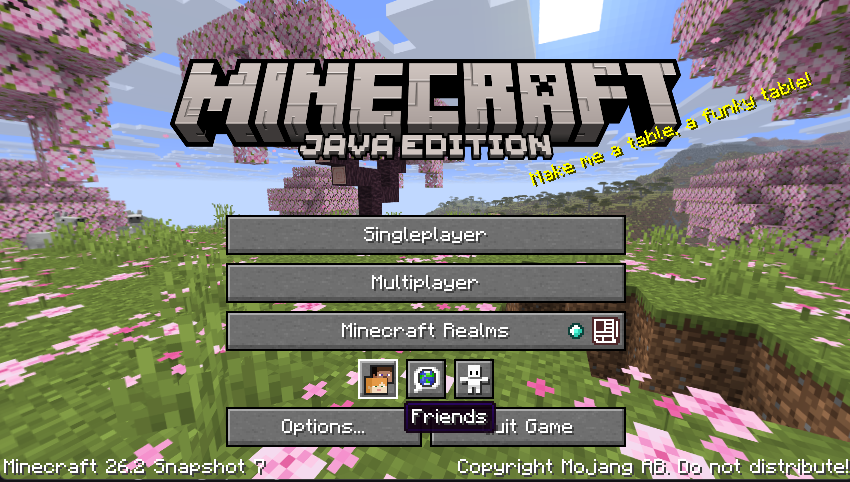
This is the first version of the Friends List, so it is intentionally simple:
- Send, accept, and decline friend requests.
- Basic online status indicators.
- Direct invites to local (single-player) worlds via P2P.
- Chat with friends on your list (basic implementation).
- Skin preview when viewing friends.
Missing in the first version (planned for future updates):
- Full party system and group invites.
- Voice chat integration.
- Server browser improvements.
- Advanced privacy controls.
Mojang has confirmed they will keep improving the system based on player feedback.
How It Compares to Other Ways of Playing with Friends
| Method | Ease of Use | Setup Time | Cost | Best For | Cross-Edition |
|---|---|---|---|---|---|
| Friends List (New) | Very Easy | Seconds | Free | Quick casual play | No (Java only) |
| Minecraft Realms | Easy | 1 minute | Paid | Persistent worlds | Yes |
| Self-Hosted Server | Medium | 5–15 mins | Free/Paid | Full control, big groups | Java only |
| Aternos / Free Hosts | Easy | Few mins | Free (slow) | Budget long-term servers | Java only |
| Direct IP Connect | Hard | Variable | Free | Quick sessions | Java only |
Benefits of the New Friends List
- No more IP sharing — Join directly from the list.
- Faster group play — Great for casual survival, building sessions, or mini-games.
- Better for new players — Easier to play with friends without technical knowledge.
- Reduces toxicity — You control who can join your world.
- Progress toward parity — Java is finally getting some social features Bedrock players have enjoyed for years.
Limitations & Known Issues (Early Version)
Since this is the first implementation, there are some limitations:
- Only works for local/single-player worlds right now (not yet for dedicated servers).
- Requires both players to be online and have the feature enabled.
- Peer-to-Peer connection may have issues with strict NAT types or firewalls.
- Still missing advanced features like parties and voice chat.
- Some players report occasional connection failures during high server load.
How to Test It Right Now
- Open the Minecraft Launcher.
- Go to Installations → Enable Snapshots.
- Create a new installation using the latest 26.2 snapshot (or newer).
- Launch the game and look for the Friends tab in the main menu.
- Add your friends and start playing!
Important: Snapshots can be unstable. Always back up your worlds before testing.
The Future of Friends List & Multiplayer in Java
Mojang has big plans. The Friends List is just the beginning. Future updates are expected to include:
- Full party system.
- Better integration with Realms.
- Voice chat options.
- Improved server discovery.
- Cross-play improvements (though full Java-Bedrock cross-play is still unlikely).
This feature shows Mojang’s commitment to making Java Edition more accessible and social while keeping its core identity intact.
Final Thoughts
The Friends List is a long-awaited and very welcome addition to Minecraft Java Edition. After more than a decade of community requests, players can finally add friends and join worlds with just a few clicks — no technical setup required.
While the first version is basic, it already makes playing with friends much easier and more enjoyable. As Mojang continues to expand the system, it will become one of the best ways to experience Minecraft with your friends.
Important Links
| Resource | Link |
|---|---|
| Official Announcement | https://www.minecraft.net/en-us/article/friends-list-for-java-edition |
| Snapshot 26.2-7 Patch Notes | Available on minecraft.net |
| Feedback Form | https://aka.ms/MCJavaFriendsListFeedback |
| Bug Reports | https://bugs.mojang.com |
| Official Minecraft Discord | https://discord.gg/minecraft |