Prism Launcher is a free, open-source Minecraft launcher that many players consider one of the best options in 2026. It is a direct fork of the older MultiMC launcher, but with more active development, extra features, and better modpack support.
While the official Minecraft launcher is simple and good for basic vanilla play, Prism Launcher is made for people who use mods, modpacks, and multiple setups. It lets you create and manage as many separate “instances” as you want, each one acting like its own clean copy of Minecraft with its own mods, worlds, resource packs, and settings.
It is loved by modders, technical players, and content creators because it is fast, clean, privacy-focused, and gives you full control without any ads or bloat.
Features of Prism Launcher
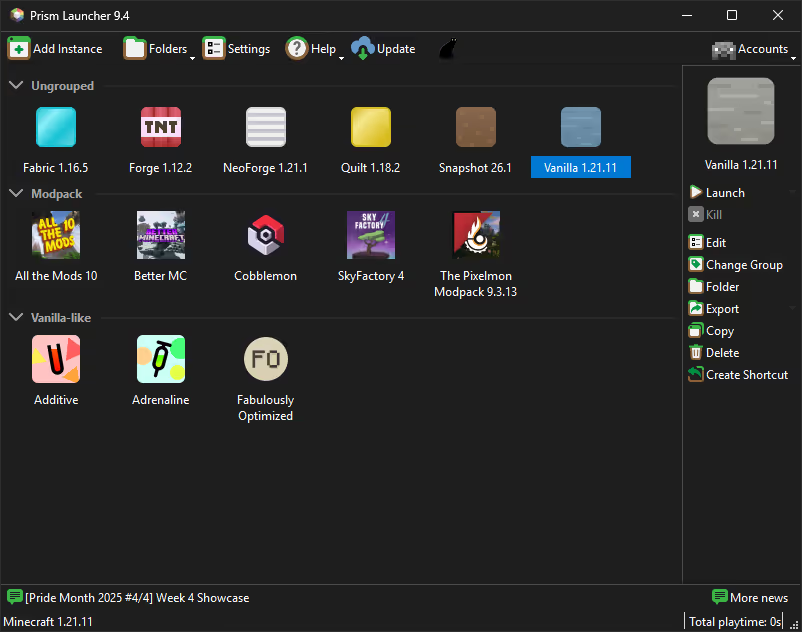
- Unlimited Isolated Instances — Create separate Minecraft setups (one for vanilla, one for a 400-mod pack, one for old versions, etc.). Everything stays completely independent.
- Excellent Modpack Support — One-click import and updates from Modrinth, CurseForge, FTB, Technic, and more. Modpacks stay clean and easy to update.
- Built-in Mod Browser — Search, install, and update individual mods directly inside the launcher.
- Full Java Control — Choose different Java versions and fine-tune memory, arguments, and settings for each instance.
- Lightweight & Fast — Built with the Qt toolkit. No heavy embedded browser, no ads, very low resource usage.
- Custom Themes & Menus — Change the look of the launcher and customize the interface.
- Easy World, Resource Pack & Shader Management — Built-in tools to manage your saves, textures, and shaders.
- Advanced Logging — Color-coded logs that make fixing crashes much easier.
- Account Management — Support for multiple Microsoft accounts.
- Offline Mode — Works offline after initial setup.
Mod Management
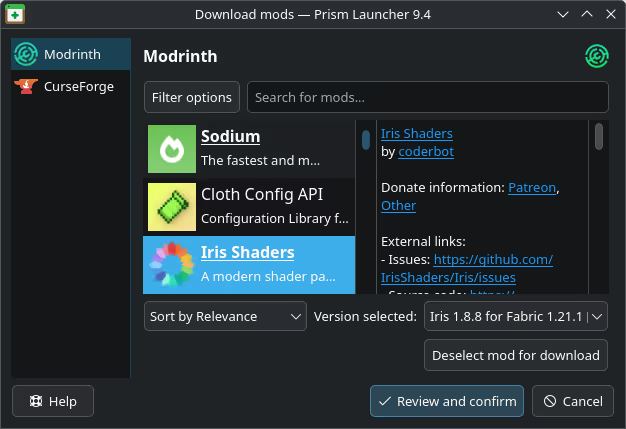
One of the biggest reasons players love Prism Launcher is its excellent Mod Management. It connects directly to both Modrinth and CurseForge, letting you search, install, update, and remove individual mods with just a few clicks. You no longer have to manually download files from websites or worry about broken links — everything stays clean and up-to-date inside the launcher.
Modpack Management
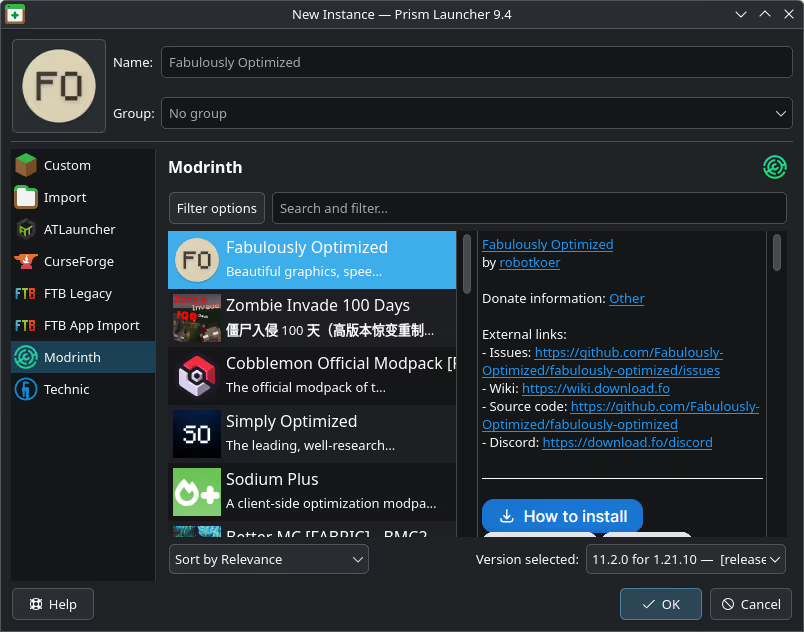
Prism makes installing and running large modpacks super simple while keeping everything organized and separate. It automatically handles updates, resolves dependencies, and lets you launch modpacks without the usual hassle of manual setup.
Instance Management
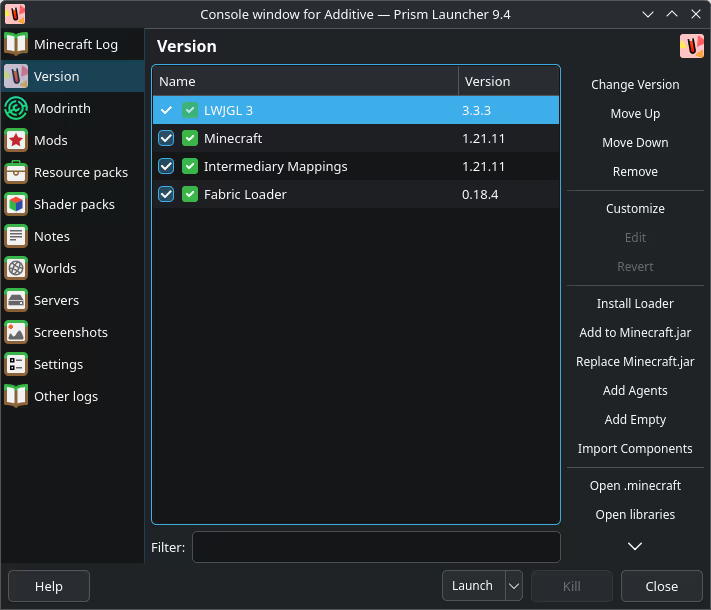
You can create unlimited independent Minecraft instances — each with its own mods, worlds, resource packs, shaders, and settings. Switching between a vanilla survival world, a heavy 400-mod kitchen-sink pack, and an old 1.8.9 PvP instance takes just one click.
The launcher is also incredibly lightweight and customizable. Built using the Qt toolkit, it uses very few system resources and doesn’t include any heavy embedded browser or unnecessary bloat. You can fully customize menus, apply custom themes, and personalize the entire interface to match your style.
Compatibility
Prism Launcher is fully compatible with Windows, macOS, Steam Deck, and Linux, making it one of the most cross-platform Minecraft launchers available. Whether you play on a Windows gaming PC, a MacBook, or a Linux desktop, it runs smoothly on all major operating systems.
System Requirements Table
Prism Launcher itself is extremely lightweight. The real requirements come from the Minecraft instances you run.
| Hardware / Software | Minimum Requirement | Recommended Requirement | Notes |
|---|---|---|---|
| Operating System | Windows 10 / macOS 10.14 / Modern Linux | Windows 11 / macOS 12+ / Modern Linux | Fully cross-platform |
| Processor (CPU) | Dual-core 2.0 GHz | Quad-core or better | Launcher is not demanding |
| RAM (System) | 4 GB | 8–16 GB or more | 8+ GB recommended for modpacks |
| Storage | 500 MB free | 50+ GB SSD | SSD strongly recommended |
| Java | Java 8 / 17 / 21 (Prism can download it) | Latest Java 21 | Automatically handled in most cases |
| Graphics Card | Any | Dedicated GPU for heavy modpacks | Affects Minecraft FPS, not launcher |
How to Install Prism Launcher

Prism Launcher Installation
1. Go to the official website: https://prismlauncher.org/
2. Click the big Download button and choose your operating system (Windows, macOS, or Linux).
3. Download the installer or portable version.
4. Run the installer (or just extract the portable zip).
5. Open Prism Launcher, log in with your Microsoft account, and you’re ready to go.
How to Use Prism Launcher
Using Prism is very straightforward. The main screen shows all your instances. Click “Add Instance” to create a new Minecraft setup. Choose the version, mod loader (Fabric, Forge, Quilt, etc.), and name it. Prism will download everything automatically.
Right-click any instance to edit it — add mods, change RAM allocation, switch Java version, or manage resource packs. You can import entire modpacks from Modrinth or CurseForge with just a couple of clicks. Switching between instances is instant. If a game crashes, the built-in log viewer helps you find the problem quickly.
FPS Performance
Prism Launcher itself does not affect your in-game FPS — it is just a launcher. However, because it gives you excellent control over Java settings and memory per instance, many players actually get better stability and slightly higher FPS in big modpacks compared to the official launcher. It works especially well with performance mods like Sodium, Iris, and Lithium.
FAQ
Is Prism Launcher safe?
Yes — it is fully open-source, community-driven, and trusted by millions of players.
Is Prism Launcher better than MultiMC?
Most people say yes. Prism is more actively updated, has better modpack support, and adds many quality-of-life features that MultiMC lacks.
Do I need the official launcher?
No. Prism can install and run everything by itself.
Can I use shaders and resource packs?
Yes, very easily with the built-in managers.
Important Links
| Resource | Link |
|---|---|
| Official Website | https://prismlauncher.org/ |
| GitHub Repository | https://github.com/PrismLauncher/PrismLauncher |
| Wiki / Getting Started | https://prismlauncher.org/wiki/ |
| Open Collective (Support) | https://opencollective.com/prismlauncher |
Prism Launcher is currently one of the most popular and recommended Minecraft launchers in 2026, especially for anyone who plays with mods or likes to keep their setups organized. Once you start using separate instances, it becomes hard to go back to any other launcher.